5.9.3.4 Dired Sort By (Sort By›) 
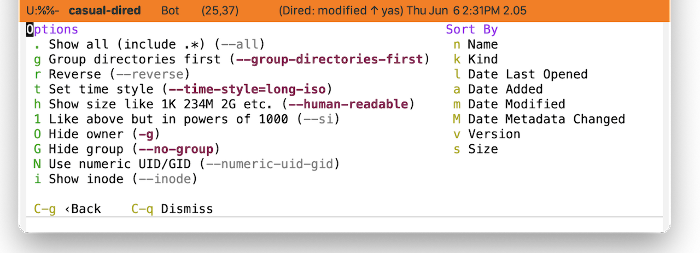
The Dired Sort By menu (casual-dired-sort-by-tmenu) provides an interface to configuring GNU ls.
The menu is separated into two sections:
- Options
Option switches to control how output is displayed.
Key Label Option Notes . Show all (include .*) –all Control display of hidden (dot) files. g Group directories first –group-directories-first r Reverse –reverse t Set time style –time-style= h Show size like 1K 234M 2G etc. –human-readable 1 Like above but in powers of 1000 –si O Hide owner -g G Hide group –no-group N Use numeric UID/GID –numeric-uid-gid i Show inode –inode Refer to GNU
ls(coreutils#ls invocation) for more detail on option behavior.
- Sort By
Commands to sort by a specified criteria.
Key Label Command n Name casual-dired–sort-by-name k Kind casual-dired–sort-by-kind l Date Last Opened casual-dired–sort-by-date-last-opened a Date Added casual-dired–sort-by-date-added m Date Modified casual-dired–sort-by-date-modified M Date Metadata Changed casual-dired–sort-by-date-metadata-changed s Size casual-dired–sort-by-size
With the Sort By menu raised, one can save the switch settings for future use via the binding C-x C-s (transient-save). Note this is a global setting and will apply to all future calls to the Sort By menu.