5.9.3.5 Dired Search & Replace (Search & Replace›) 
Search and replace in multiple marked files using the “/ Search & Replace›” menu (casual-dired-search-replace-tmenu) in casual-dired-tmenu. This will raise a menu of Dired commands that will work on marked files.
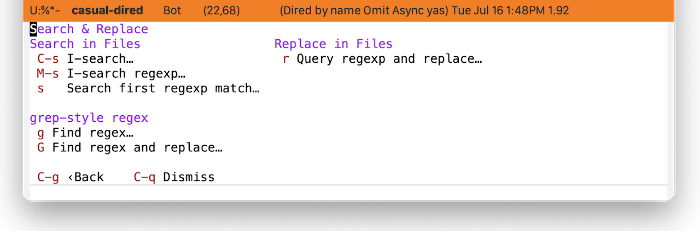
While most Dired commands use Emacs-style regular expression syntax ((elisp)Regular Expressions), there are commands that use grep-style regex syntax instead as it makes direct calls to grep. This syntax is dependent on the grep implementation that is installed and used by Emacs.
| Key | Label | Command | Notes |
|---|---|---|---|
| C-s | I-search… | dired-do-isearch | |
| M-s | I-search regexp… | dired-do-isearch-regexp | |
| s | Search first regexp match… | dired-do-search | |
| r | Query regexp and replace… | dired-do-query-replace-regexp | |
| p | Project query regexp and replace… | project-query-replace-regexp | |
| g | Find regex… | dired-do-find-regexp | grep regex |
| G | Find regex and replace… | dired-do-find-regexp-and-replace | grep regex |
| f | Find in files (rgrep)… | rgrep | grep regex |