2.2.2.3 Org Table Context Menu 
If the context menu is raised in a table, then table-specific commands are shown.
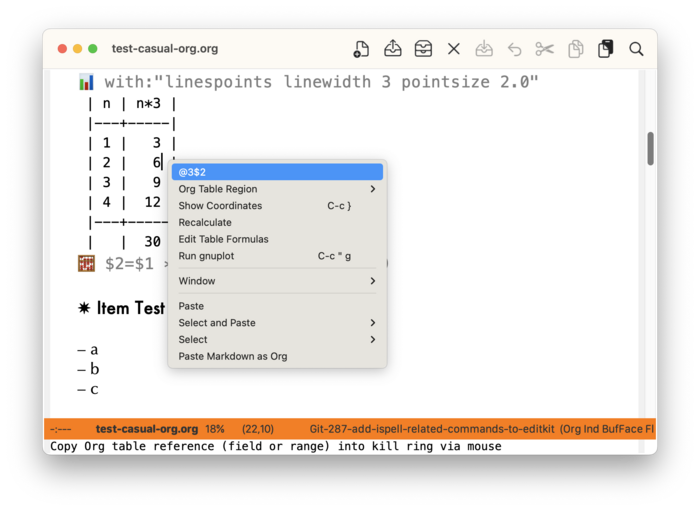
The context menu shows the current Org table cell reference where the point is in (e.g. @3$2). Clicking on this reference will copy it to the kill-ring for subsequent use in a table formula.
If a selected region or rectangle is made whose extents are within the table, then the table region reference is displayed.
The “Org Table Region” sub-menu provides commands to cut, copy, and paste rectangular regions made in the table. Note that the binding C-M-<mouse-1> lets you make rectangle selections.