5.15.2 Help Usage 
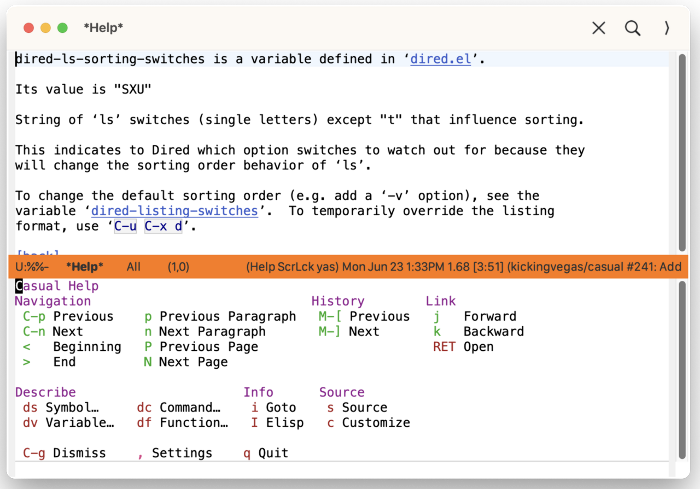
After invoking help via a describe- command, invoke casual-help-tmenu using the binding C-o (or your binding of preference).
The following sections are offered in the menu:
- Navigation
Navigation commands with the document.
- History
Navigate history of help invocations.
- Link
Navigate to different references in the help buffer.
- Describe
Get help for different Elisp types.
- Info
If available, then open this help topic in Info.
- Source
Show the Elisp source. If the help displayed is for a customizable variable, then show a customize menu item.
Help Mode Settings 
The menu casual-help-settings-tmenu provides access to different help-mode settings.
Help Mode Unicode Symbol Support 
By enabling “u Use Unicode Symbols” from the Settings menu, Casual Help will use Unicode symbols as appropriate in its menus.
For more info on using Unicode symbols, please refer to UX Conventions.