5.14.2 EWW Usage 
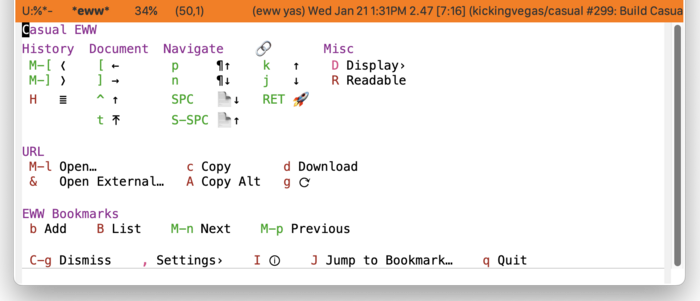
In an EWW window, invoke casual-eww-tmenu as shown below.
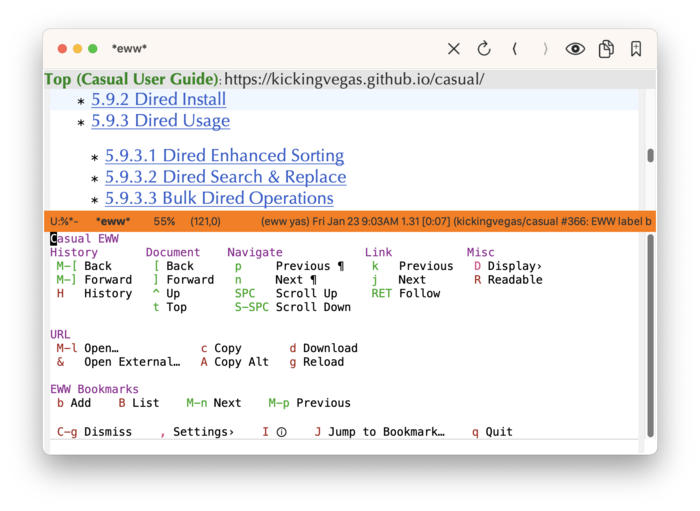
The following sections are offered in the menu:
- History
Commands for historical navigation.
- Document
Commands for document navigation (
<link rel="">) provided the HTML pages support it. HTML generated from Texinfo ((texinfo)Top) supports these commands.- Navigate
Commands to navigate within a page.
- Link
Commands to navigate links within a page.
- Misc
Miscellaneous commands.
- URL
Commands associated with the current web page.
- EWW Bookmarks
Commands associated with EWW bookmarks.
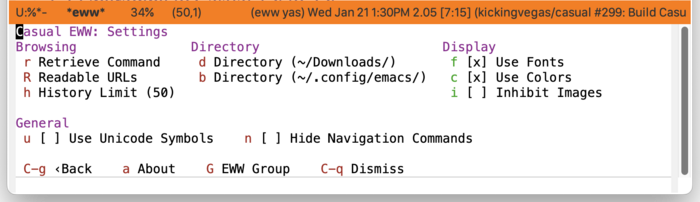
EWW Settings 
Customize common EWW settings from this menu. These settings can be persisted to be used across restarts of Emacs.
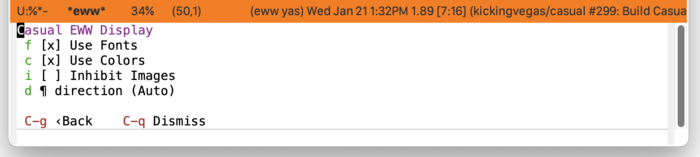
EWW Display 
The menu casual-eww-display-tmenu provides commands to toggle different display attributes of a web page.
EWW Bookmarks 
The menu casual-eww-bookmarks-tmenu provides commands for managing the EWW bookmark list.
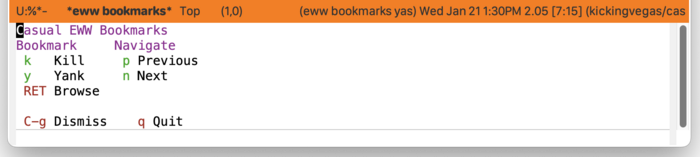
Note that the EWW bookmarks list has a very limited feature set.
EWW Unicode Symbol Support 
By enabling “u Use Unicode Symbols” from the Settings menu, Casual EWW will use Unicode symbols as appropriate in its menus.
For more info on using Unicode symbols, please refer to UX Conventions.