2.2.1 Selected Text Commands 
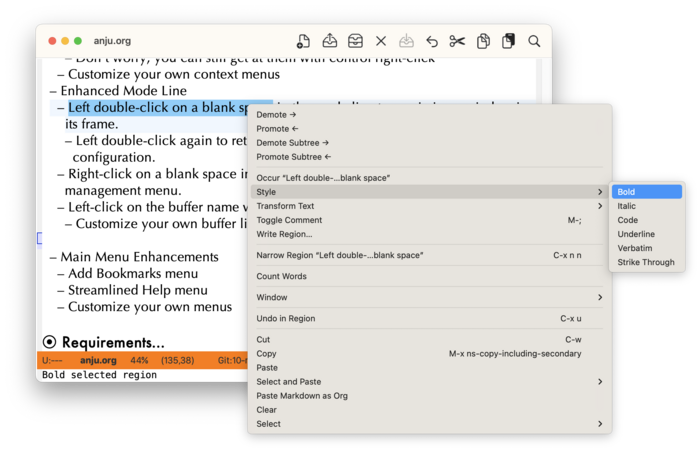
If a context menu is raised on selected text, the following menu items are displayed:
- Occur
Run
occurcommand to show occurrences of selected text.- Style
Applies mode-specific markup to emphasize the selected text (e.g. bold, italic, code, etc.).
- Available only for
org-modeandmarkdown-mode.
- Available only for
- Transform Text
Applies transforms (upper/lower case, capitalize) to the selected text.
- Query Replace
Run
query-replaceon selected text.- Query Replace Regexp…
Run
query-replace-regexpon selected text.- Toggle comment
Toggles selected text to be commented based on mode.
- Available only on modes derived from
prog-modeandorg-mode
- Available only on modes derived from
- Write Region…
Writes selected text to a user-specified file.
- Look Up
If a word is selected, uses
dictionaryto look up its definition.- Copy as…
If the current buffer is using Org mode, then this sub-menu is displayed. Learn more about this in Org “Copy as…” Context Menu.