2.2.2.2 Org Item 
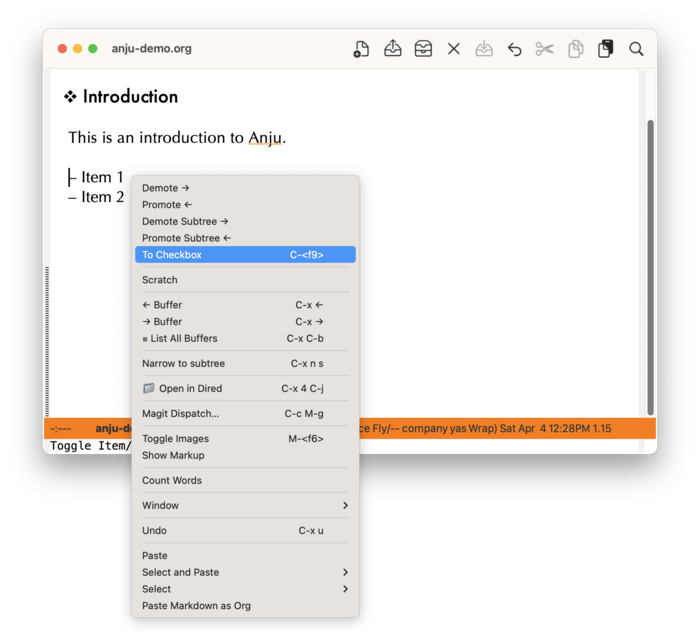
If the context menu is raised on a list item, then commands related to promotion and conversion to a checkbox are provided.
The menu item “To Checkbox” will convert an item to a checkbox, with the additional behavior that if the point is at the start of the whole list, the whole list will be turned into checkboxes.
If org-mouse is loaded, then clicking on a checkbox will toggle its state between on (’[X]’) or off (’[ ]’). However, changing to an intermediate state (’[-]’) is supported by the menu item “In-Progress”. The menu item “To Item” will convert the checkbox back to a plain list item.
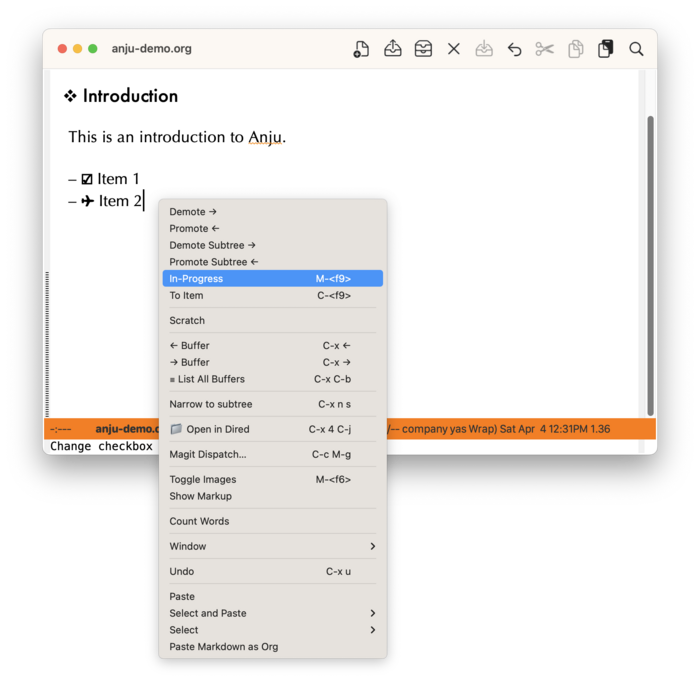
Note that checkboxes in screenshots are prettified using prettify-symbols-mode.