2.2.2.4 Org Insert Link 
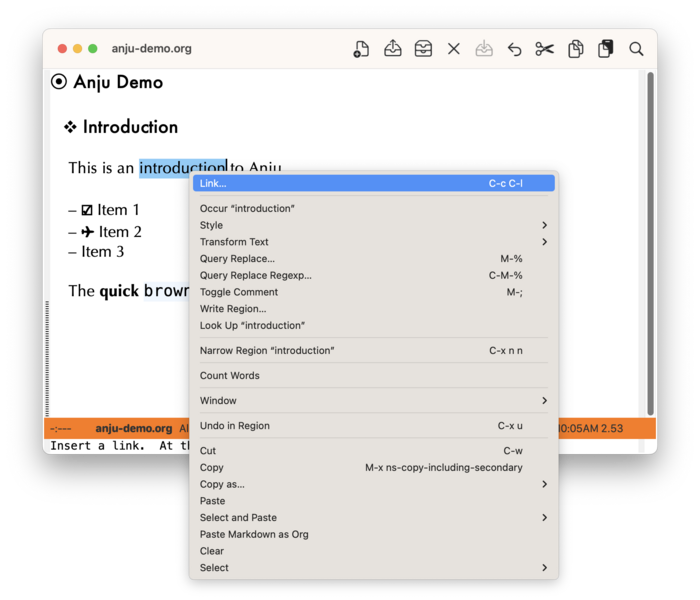
If the point is on selected text or an existing Org link, the context menu will have the menu item “Link…” to run the command org-insert-link. From there you can add or edit a link.
On an existing Org link, use the menu item “Copy Link Address…” to copy the raw link address into the clipboard (kill-ring).
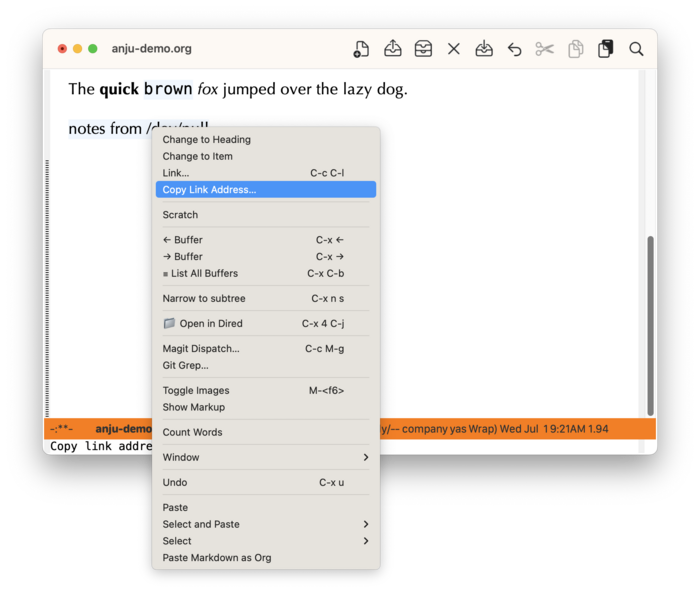
If an Org link has already been stored, then the menu item “Paste Last Org Link” will be displayed. See more at Org Paste Context Menu.