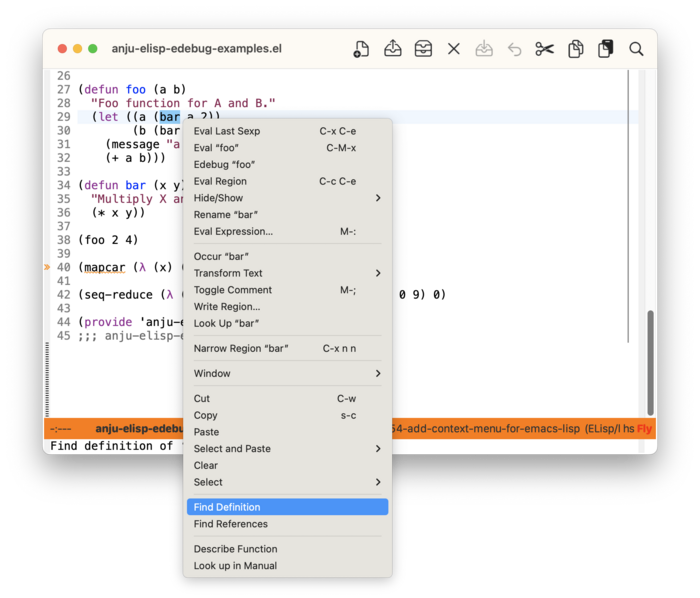
2.2.6.1 Basic Elisp Context Menu 
Anju enhances the default Elisp context menu by providing commands for evaluating, debugging, and refactoring Elisp. Many of these commands are context-sensitive to point location. If a command does not apply at point, it will not be shown in the context menu.
If hideshow ((emacs)Hideshow) support is enabled, then a sub-menu “Hide/Show” is provided.
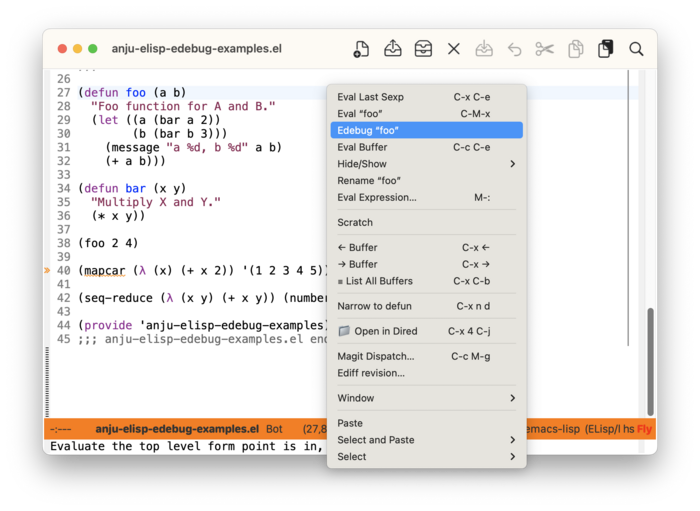
The screenshot below shows the context menu raised when the point is on the function foo. Selecting the menu item “Edebug “foo”” will instrument foo for debugging. On the next invocation of foo, the Edebug debugger will be run. Anju enhances the context menu for Edebug as well.
Note that the Emacs default context menu for Elisp supports Xref ((emacs)Xref) navigation as well as help (describe-function) and Info lookup as shown below.